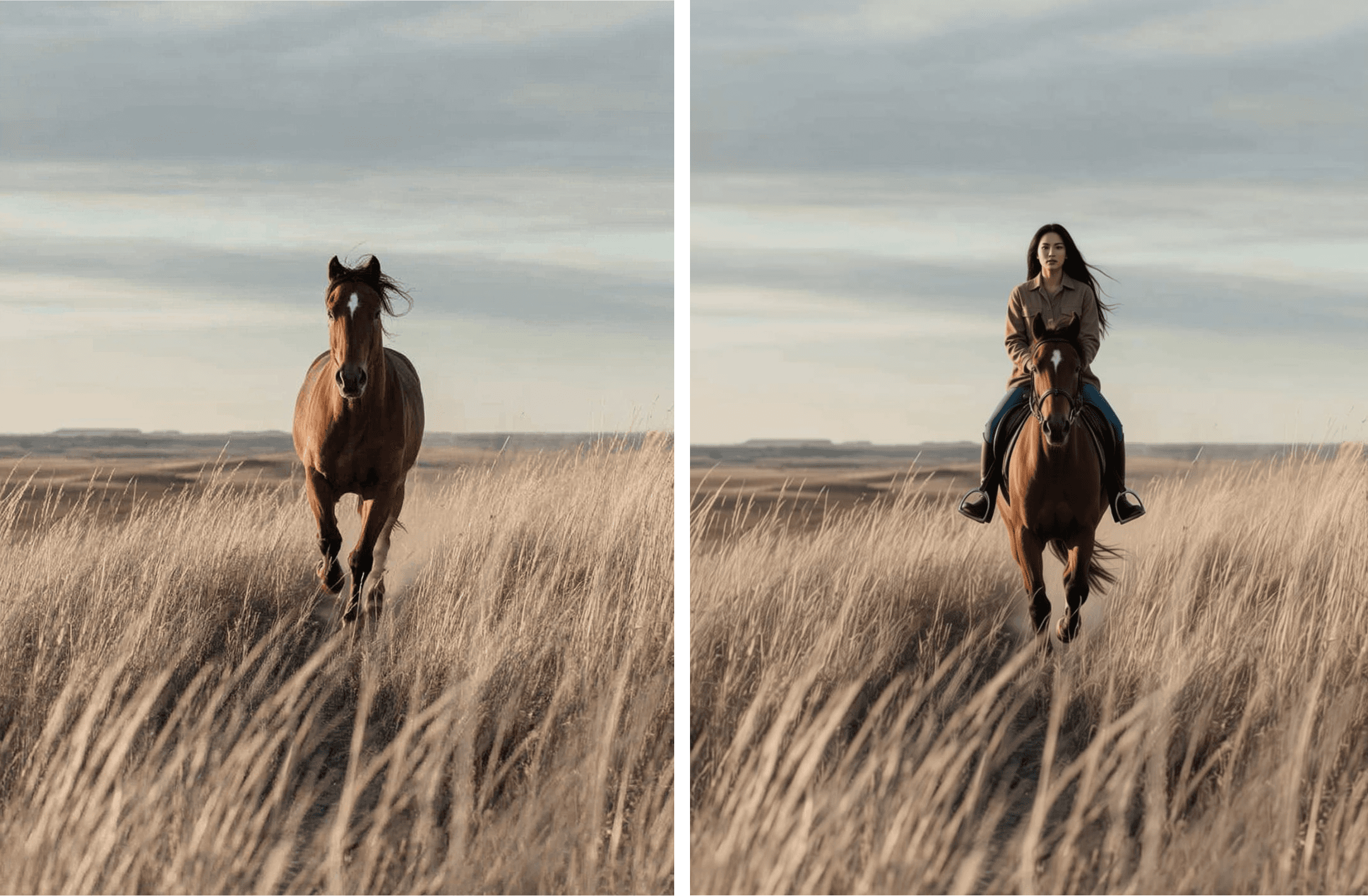
You know that feeling when you’ve spent 15 minutes tracing an image just to fix one messy background? That’s exactly what AI tools are now solving. Among the many ways AI is evolving marketing and creative workflows, one that stands out is the ability to change an image background with minimal manual effort. Whether you’re in e‑commerce or social media, gone are the days of manual photo editing, where we had to use photo editing tools and make a new background by hand. You can now swap a background in seconds using a free AI background changer (even with little design skills)!

What does “changing an image background” mean?
“Changing an image background” refers to isolating the foreground subject of an image (for example a person, product, building) and then removing, replacing, or modifying the photo background behind it. You can do all this and change photo backgrounds online, making the process very convenient. Here are the core operations involved to remove and replace a background, and how AI helps with it:
Background removal or isolation
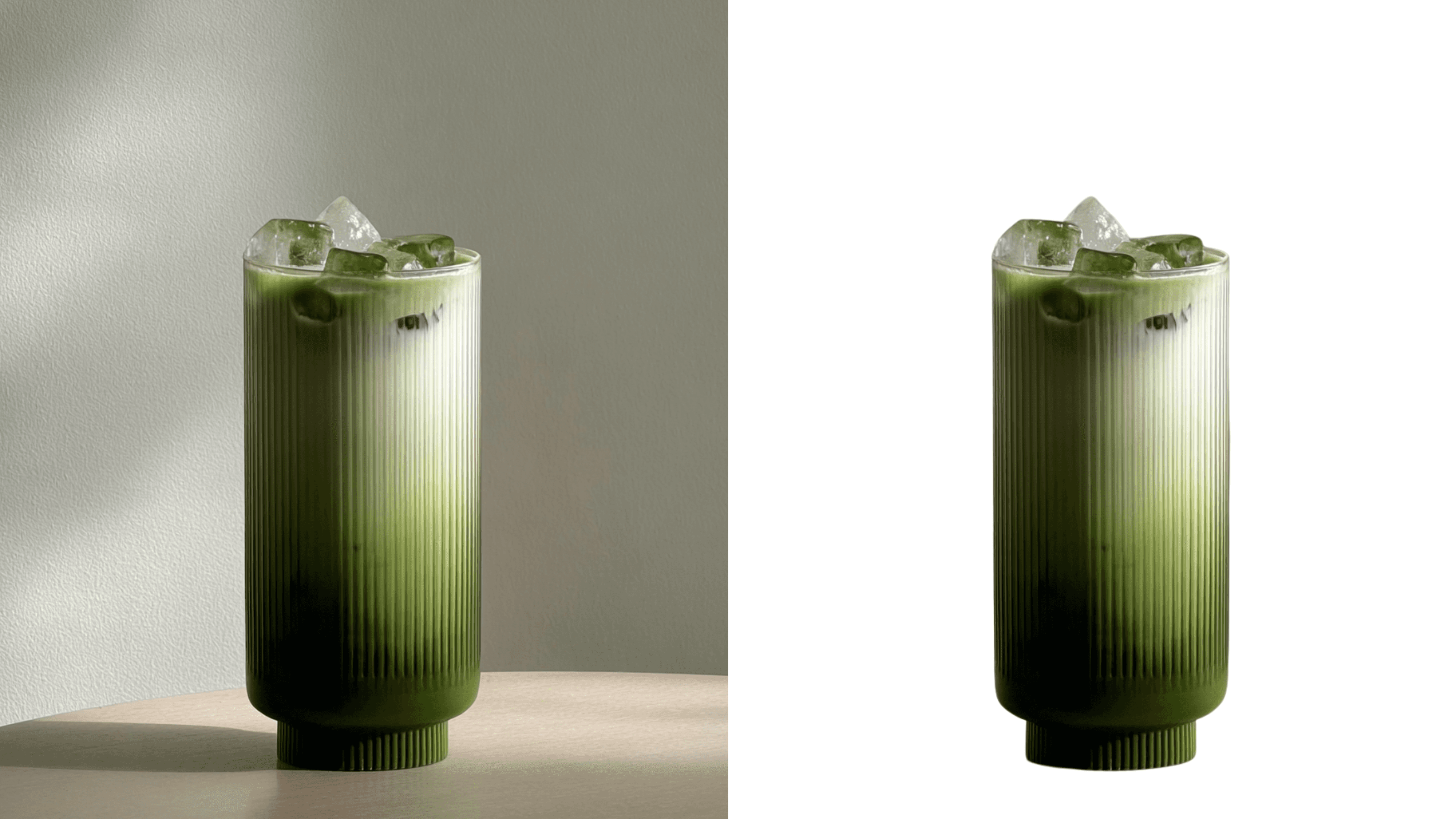
AI detects the subject vs background and separates them automatically. Tools like Remove.bg offer this capability in seconds.
Background replacement:
After removal, you insert a new desired background (a solid color, plain image, different scene) behind the subject. For example, a product on a white background for listing, then with a lifestyle backdrop for marketing.

Batch processing & automation:
Especially in e‑commerce or marketing volumes, you may need hundreds or thousands of images to have backgrounds changed automatically. More recent tools such as Adobe’s Firefly Bulk Create (still in beta) enable large scale editing.
Why emphasise “changing” the background rather than just “removing” it?
Before AI, changing a background meant a lot of manual cleanup, tracing edges, fixing shadows, matching light and color, all to make the final image look believable.
AI takes that technical work off your plate. It handles the blending and lighting in seconds, so you can focus on the real goal: putting your product in the right context.
A neutral background simply shows an object. But place your matcha in a snowy scene, and instantly it communicates freshness, calm, winter energy, or seasonal mood. That’s the point: it’s not about removing the background, it’s about choosing one that supports the story you want the image to tell.

How marketers and creatives change photo backgrounds (with examples)
According to Adobe, 80% of marketers use AI tools in image editing workflows (2024 study). Here are practical ways marketers, agencies, e‑commerce teams, and creatives are leveraging AI‑driven background change. If you haven’t used these yet, consider them inspirations:
E‑commerce product listings: flexible product photography
In the e-commerce world, a clothing retailer might use AI to remove the background of product photos and replace it with a standard white background for the shop. Then, for social posts or ads, the same subject is placed on a lifestyle background (studio scene, outdoor backdrop) to engage customers. This makes a product shot much easier and possibly cheaper to do.

Content Creation: make your images stand out
Creators across platforms like YouTube, TikTok, and blogs can use AI background change tools to speed up thumbnail design, promotional visuals, and channel branding. For instance, a YouTuber might isolate their face and drop it onto a high-impact, stylized background that pops in the recommendations feed. In a thesis study by Cornell University, 53.6% of AI-generated thumbnail sets matched designers' picks, and 45.8% of viewers preferred them over manual or alternative options.

Marketing campaigns & ad variations: easy marketing materials
When a campaign needs multiple visual variants, you might keep the subject constant and only change the background to test different messages or formats (e.g., seasonal context, holiday-themed backdrop). AI enables you to spin out dozens of variants quickly, making it perfect for creating marketing materials.
Corporate/agency visual assets: make your photos professional
Agencies handling client visuals often need to repurpose images across channels. Suppose an event photo has a distracting background; AI tools can isolate the person and place them on a branded backdrop for a presentation or report.

Pro tip:
If you can capture your subject on a relatively “clean” original background (not too busy, good lighting), the AI background change will succeed more reliably. Harder backgrounds (lots of texture, many small objects, hair in motion) may still require manual touch‑up.
Why this AI background changer trend is picking up in business visuals
If you’re in marketing or creative operations, you likely feel the pressure: faster turnaround, higher volumes, consistent brand style across visuals. In a 2024 survey, most marketers, about 69.1%, say they have integrated AI into their overall marketing strategies. (Influencer Marketing Hub). Here are the reasons AI photo background changer trend matters now:
Volume and speed: Manual background removal and replacement (masking in Photoshop, etc) is time‑intensive. AI reduces that to seconds. For example, tools such as Pixelcut AI advertise to “remove background in 3 seconds” online.
Cost efficiency: For companies doing large catalogues of products or frequent social content, automating even part of the visual editing workflow means significant savings.
Consistency and branding: Changing background via AI helps ensure consistent look (e.g., white background for all product images) and easier repurposing (same subject, different background for different channel).
Versatility for multiple channels: Social, web, print, ads all demand different formats and backgrounds. AI helps quickly swap backgrounds to fit the channel without re‑shooting.
Improving quality of outputs: When done well, AI segmentation is accurate enough to preserve fine details (hair strands, transparent objects) which previously required heavy manual work.
Accessible to non‑experts: As tools integrate into mainstream platforms (for example Canva’s background remover) even teams without heavy photoshop expertise can use them.
Pro tip: Use A/B testing
When you apply changed background visuals in marketing campaigns, test variant A (original background) vs variant B (new AI‑background) to see whether the swap actually improves performance (e.g., product page conversion or social post engagement).
What to look for when choosing a tool
Accuracy of subject‑segmentation (especially tricky edges like hair or transparent objects)
Flexibility of background replacement (colour, image, pattern, templates)
Speed and batch capability (if you have large image volumes)
Workflow integration (API, plugins, creative stack compatibility)
Pricing model (free tier vs subscription vs pay‑per‑image)
Output quality (resolution, artefacting around edges)
Availability (if it’s free online or an application that needs to be downloaded)
How to integrate this AI tool into your workflow
Here’s how you can practically edit photo backgrounds with AI in your business/marketing operations.
Step‑by‑step for a typical workflow
Start with good originals:
Capture subjects (people, products) against simple or clean backgrounds so that segmentation works better.
Select your tool: Choose appropriate background removal/replacement tool
Define your brand background styles: Decide what backgrounds you will use (white for listings, lifestyle for social, branded colour for ads, etc.) and describe it as much as possible to the ai background changing tool.
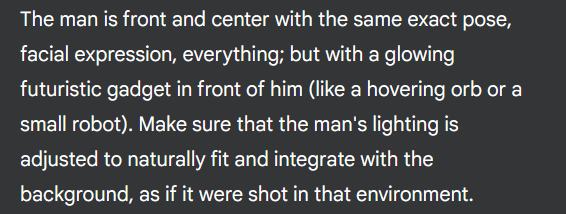
Upload your image: Simply upload your photo into your chosen tool in JPG or PNG file formats (other tools could also allow other formats if those are not available). If you have many images, use the tool’s batch or API mode to remove and/or replace backgrounds.
Quality review: After uploading your photo, the AI background changer tool should have now removed the background from your photo, and replaced it with a background of your choice. Don't forget Spot‑check outputs for segmentation errors, lighting mismatches, odd artifacts.

Apply any finishing touches: Adjust shadows, adding depth or perspective if the AI background swap created an unnatural look.
Distribute to channels: Use the resulting images for your product listing, ads, social, print as needed.
Pro tip: Establish a library of backgrounds
Create a consistent set of approved background images (white, brand colour, campaign theme) so whenever an image background is swapped the look remains cohesive. This makes mass‑editing easier and ensures brand consistency.
Pitfalls, risks and limitations to be aware of when using a background changer tool using AI
AI background replacement is powerful, but not perfect. If you go in with your eyes open, you’ll avoid some common traps:
Imperfect segmentation
Even the best ai background remover tools sometimes mis‑detect foreground vs background (e.g., hair, fine see‑through objects, overlapping subjects). Manual touch‑up may still be required. If you rely purely on auto segmentation, you may end up with a “cut‑out” look. In this example, we see that some parts of the red background were not totally removed and are still seen in the edges. The fine hairs have also been cleanly erased, instead of being retained.
Context mismatch
Swapping or editing photo background with AI is not just about placing the subject on any new backdrop. Lighting, perspective, scale must match or the image will feel “off”. A subject shot in bright daylight may look unnatural on a dark indoor background if you don’t adjust shadows, colour temperature, etc. to get the background you want. In this example photo below, notice how it doesn’t look naturally integrated with the background and feels more like a cut out.
Over‑automation risk
Batch processing is tempting but may yield lower quality or higher mistakes. If you run thousands of images through and don’t spot check, you could distribute images with visual artefacts or quality issues. For example, look how each theme now has a skull and lantern, despite the Christmas and Valentine’s theme not fitting that aesthetic. The Valentine’s theme also incorporated Christmas presents and balls in their decoration when unnecessary.
Ethical and legal considerations
AI-generated background changes can unintentionally misrepresent context, such as placing a product or person in a setting that suggests an endorsement or scenario that never happened. This raises concerns around authenticity and potential misinformation. AI tools also often use preloaded or AI-generated backgrounds, so it’s essential to check usage rights for both the original image and any background source, especially if the output is for commercial use.
Conclusion
The ability to change an image background with AI is no longer a niche gimmick and is becoming a mainstream part of the digital marketing and creative toolkit. For marketers, agencies, e‑commerce teams, content creators, these background tools mean faster turnaround, greater consistency, and more creative flexibility.